Buying Licences on albertarelm.com
Navigating the world of hunting regulations and licence purchases in Alberta can feel like trying to find your way through a dense patch of timber without a compass. It’s not always straightforward, and one wrong turn can lead to frustration or, worse, being out of compliance. This comprehensive guide is designed to cut through the confusion and walk you, step-by-step, through the process of buying your hunting licences on albertarelm.com, ensuring you’re ready for the field without any unnecessary headaches.
Understanding albertarelm.com: Your Gateway to Alberta Hunting
For any hunter, resident or non-resident, looking to pursue game in Alberta, albertarelm.com is your essential starting point. This online platform is the official system for purchasing all hunting and fishing licences, applying for special draws, and fulfilling mandatory reporting requirements. Think of it as your digital hunting companion, albeit one that sometimes requires a bit of patience and understanding to use effectively.
What is albertarelm.com and why is it mandatory?
AlbertaRELM, short for Alberta's Recreational Licence and e-Licence Management system, is the provincial government's centralized hub for managing all recreational licences. Before its inception, buying licences often involved trips to various vendors or complicated mail-in forms. Now, everything is streamlined into one digital space. This centralization isn't just for convenience; it's crucial for the province's wildlife management efforts. By requiring all purchases and applications through this system, Alberta Fish and Wildlife can accurately track hunter numbers, harvest data, and manage quotas for specific species and Wildlife Management Units (WMUs). This data is vital for sustainable hunting practices and ensuring healthy game populations for future generations. Without this system, it would be a logistical nightmare to manage the complex regulations and quotas that Alberta’s diverse hunting opportunities demand. It also helps in enforcing rules around Alberta's Special Licence Draws and overall hunter eligibility.
The link between your WIN Card and the system
At the very core of your albertarelm.com profile is your Wildlife Identification Number (WIN) card. This isn't just a plastic card in your wallet; it's your permanent identification number within Alberta's wildlife management system. Every licence you purchase, every draw you apply for, and every harvest you report is linked directly to your unique WIN Card number. Without a valid, up-to-date WIN Card, you simply cannot purchase any hunting licences through AlbertaRELM. This system ensures that your hunting history, priority points for draws, and any past compliance issues are all accurately attributed to you. It's designed to create a single, undeniable record of your interactions with Alberta's hunting regulations. Many first-time hunters get tripped up here, thinking they can buy a licence without first securing their Alberta's WIN Card and Wildlife Certificate. Don't make that mistake!
Navigating the user interface overview
When you first land on albertarelm.com, it might look a bit busy, but it's generally laid out logically. You'll find sections for purchasing licences, applying for draws, managing your account, and submitting harvest reports. The main navigation usually presents clear categories, like "Buy Licences," "Draws," "My Account," and "Reports." While it might not have the sleekest design, the functionality is there. Take a moment to familiarize yourself with where these key sections are located. Often, there’s a search bar or a "Quick Links" section that can help you jump directly to what you need. Understanding this basic layout will save you a lot of clicking around and potential frustration, especially if you're trying to quickly snag a tag before a season closes or check on draw results that just came out.
Getting Set Up on albertarelm.com: The Essentials
Before you can even dream of adding that elusive moose or trophy whitetail tag to your cart, you need to ensure your albertarelm.com account is properly set up. This initial step is critical and often where most hunters encounter their first hurdles. Taking the time to get it right from the start will save you a lot of grief down the line.
First-time users: Creating an account
If you’re new to hunting in Alberta, or just new to the online system, creating an account is your first mission. This process typically involves providing personal details such as your name, address, date of birth, and contact information. You’ll also be prompted to either link an existing WIN Card or apply for a new one. Remember, your WIN Card is absolutely mandatory. If you don't have one, the system will guide you through purchasing a What an Alberta WIN Card Costs. This usually involves a small fee and, once processed, you’ll receive a temporary WIN number immediately, which you can then use to complete your account setup. Keep this WIN number handy, as it's what ties you to every hunting activity you undertake in Alberta. It’s also crucial to choose a secure password and remember your login credentials – you’ll be using them regularly!
Ensuring your WIN Card is current and linked
Even if you’ve hunted in Alberta for years, your WIN Card has an expiry date, and it needs to be current to purchase licences. You can easily check its status by logging into your albertarelm.com account. If it’s expired, you'll need to Renewing a WIN Card Online. This process is usually quick and costs a nominal fee. The system will typically prompt you if your WIN Card needs renewal when you try to purchase a licence or apply for a draw. Make sure the WIN Card number linked to your online profile is correct. Sometimes, due to data entry errors or if you've ever had multiple WIN cards (which is rare but can happen if issues arose during initial applications), your account might not be correctly associated with your active WIN. A quick call to the AlbertaRELM support line can resolve these issues, ensuring your hunting history and priority points are correctly maintained. This step is non-negotiable for anyone looking to hunt in Alberta.
Updating personal information and residency status
Your personal information, especially your residency status, is paramount for licence eligibility. Alberta offers different Alberta Resident Licence Options and pricing compared to non-resident licences. If you’ve moved, or if your residency status has changed (e.g., from an out-of-province hunter to an Alberta resident), you must update this information in your AlbertaRELM profile. Incorrect residency status can lead to purchasing the wrong licence, which can result in hefty fines and forfeiture of your game. Navigate to the "My Account" section on albertarelm.com to review and update your contact details, address, and residency. Ensure that everything is accurate and matches your government-issued identification. It's a quick check that can prevent significant legal headaches in the field. This is also where you’ll ensure your What the Wildlife Certificate Covers is active, which is a prerequisite for most hunting activities.
Navigating the Licence Purchase Process
Once your account is active and your WIN Card is current, you're ready for the exciting part: actually buying your hunting licences! While the process is designed to be user-friendly, knowing what to expect can make it even smoother.
Finding and selecting the right licences
After logging in, head to the "Buy Licences" section. Here, you'll see a range of options, typically categorized by species, season type (e.g., general, draw-only), and residency. For example, you'll find general tags for White-Tailed Deer, Alberta's Most Hunted Big Game and Black Bears in Alberta's Forests and Foothills, as well as game bird permits. It’s crucial to know exactly what you need. Don’t just click on the first "deer" option you see. Always double-check the species, the type of licence (e.g., antlered whitetail, antlerless mule deer), and the season (e.g., archery, rifle, general, draw). If you’re unsure about specific regulations or season dates for a particular WMU, this is where external resources like the Alberta Hunting Regulations Guide or even apps like GoHunt can be incredibly helpful for cross-referencing information before you commit to a purchase. Pay close attention to the WMU numbers, as many licences are specific to certain zones.
Understanding the shopping cart and checkout
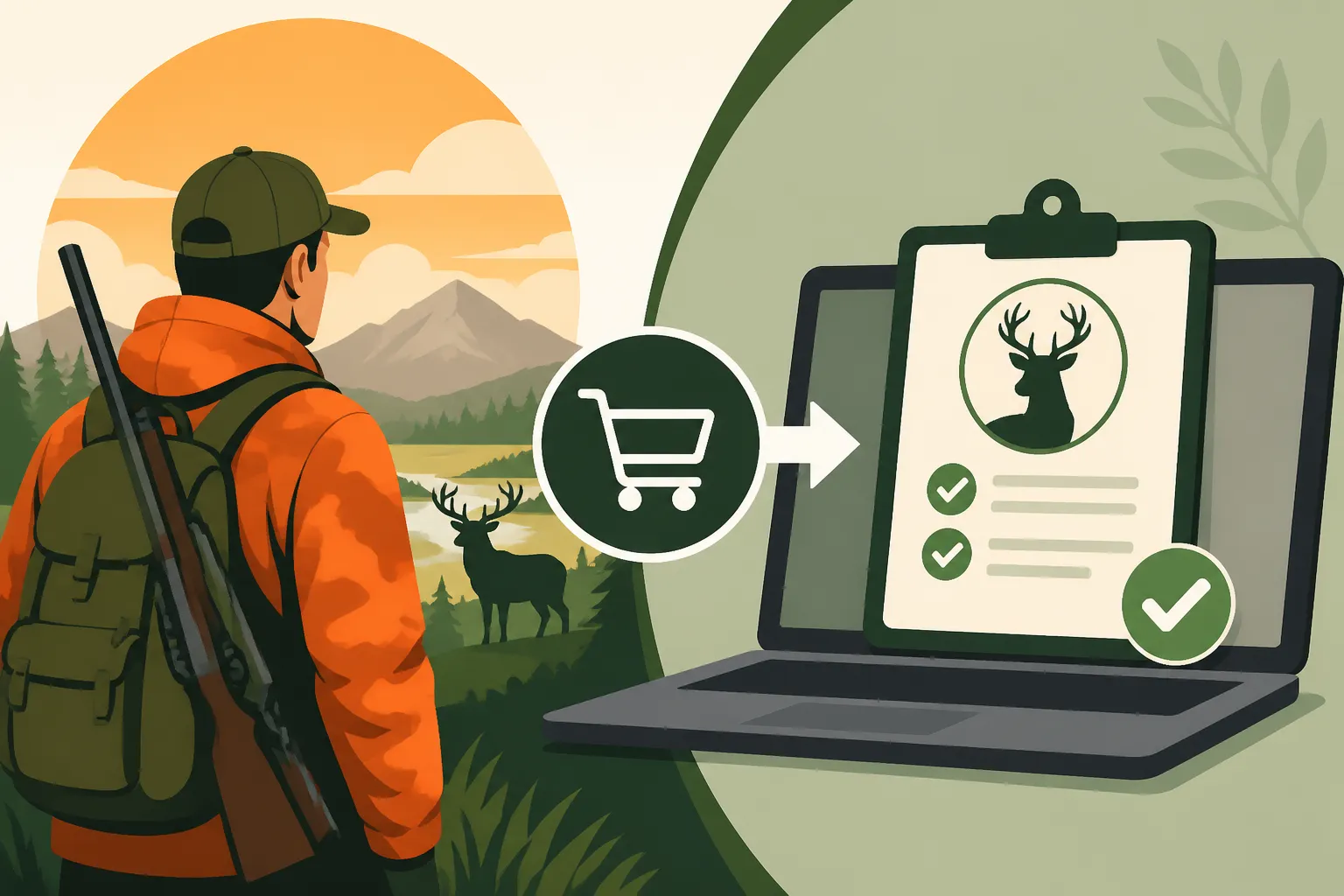
Just like any online shopping experience, albertarelm.com uses a shopping cart system. As you select licences, they'll be added to your cart. Before proceeding to checkout, meticulously review everything in your cart. Check that you've selected the correct species, quantity, WMU, and season for each licence. This is your last chance to catch any errors before payment. Once you’re confident your selections are accurate, proceed to checkout. The system will guide you through payment using a credit card. It’s a secure transaction, but ensure your internet connection is stable to avoid any interruptions during the process. Keep an eye out for any pop-up windows or confirmations required by your bank for online purchases.
Common payment issues and solutions
Occasionally, payment issues can arise. The most common reasons for a transaction failing include:
- Incorrect credit card information: Double-check the card number, expiry date, and CVC.
- Insufficient funds: Ensure you have enough credit or funds available.
- Bank security flags: Your bank might flag the transaction as unusual, especially if it’s a large sum or your first purchase on albertarelm.com. A quick call to your bank to pre-approve the transaction or confirm it's legitimate can often resolve this.
- Browser issues: Sometimes, an outdated browser or certain ad-blockers can interfere. Try a different browser or clear your cache if you encounter persistent problems.
- Website timeout: If you leave the cart idle for too long, the session might expire.
If your payment fails, don't panic. Try the transaction again, ensuring all details are correct. If it continues to fail, contact your bank. If the issue seems to be on the AlbertaRELM side, note any error messages and consider reaching out to their support line.
Beyond Basic Licences: Draws and Special Tags
Alberta offers some incredible hunting opportunities for species that require a special licence draw. This system is designed to manage pressure on specific game populations and distribute opportunities fairly among hunters. Understanding how these draws work is essential for any hunter with specific goals, like pursuing Moose Across Alberta's Boreal and Foothills or Elk in Alberta's Mountains and Farmland.
Applying for special license draws
Alberta's special licence draws are your ticket to hunting species like moose, elk, bighorn sheep, and pronghorn in specific WMUs. The application process occurs annually through albertarelm.com. You’ll find a dedicated "Draws" section where you can view available draws, check your Alberta's Draw Priority Point System, and submit your applications. It’s crucial to understand the draw periods and deadlines, which are strictly enforced. When Alberta's Draw Applications Open and close is vital information you cannot miss. You typically apply for a draw by selecting your preferred WMU, species, and season. You might be able to select multiple choices (e.g., first choice, second choice) to increase your odds. Remember, each draw application has a fee, and if you are successful, you will then purchase the actual licence. Make sure you understand the rules around How Many Draws You Can Apply For and how applying as a party works.
Checking draw results and purchasing successful tags
The anticipation of draw results can be agonizing! Fortunately, albertarelm.com is where you’ll find out if you were successful. Usually, after the application period closes, there’s a waiting period before When Alberta Draw Results Are Posted. You can check your results by logging into your account and navigating to the "Draws" or "My Account" section. If you are successful, congratulations! The system will then prompt you to purchase your special licence. This must be done within a specific timeframe, so don’t delay. If you miss the purchase deadline, you forfeit the licence, and your priority points will be reset for that species. Conversely, if you are unsuccessful, your priority points for that species will accumulate, improving your odds for future draws. This is also where you might explore Alberta Supplemental Antlerless Licences if they become available after the main draw, often without affecting your priority points.
Supplemental tags and general season options
Beyond the special draws, Alberta also offers general season licences for many species in various WMUs. These are often purchased over the counter (or, in this case, online) without needing to go through a draw. For example, you can typically purchase a general resident white-tailed deer licence, or a black bear tag, directly. Additionally, in some WMUs, supplemental antlerless tags might become available after the main draw periods to help manage local populations. These are often on a first-come, first-served basis through albertarelm.com. It’s vital to stay informed about Alberta Big Game Season Dates and regulations for your chosen WMU, as eligibility and availability for these types of tags can change annually. Sites like GoHunt often offer excellent tools for tracking season dates and licence availability, complementing the official AlbertaRELM information.
Managing Your Account and Licences Online
Once you've purchased your licences, your journey with albertarelm.com isn't over. The platform also serves as your personal hub for managing your active licences, fulfilling legal requirements, and reviewing your hunting history.
Printing and carrying your licences
Once purchased, your licences are generally available immediately within your AlbertaRELM account under "My Licences." It is your legal responsibility to ensure you have a physical copy of your licences with you while hunting, or an electronic copy on a device (though a physical copy is often recommended in case of device failure or lack of signal). Alberta’s regulations state that you must produce your licence upon request by a Fish and Wildlife Officer. You can print your licences from home, ensuring the printout is clear and legible. Some hunters laminate their licences to protect them from the elements. Don't assume that simply having purchased it online is enough; always have a tangible representation of your legal right to hunt. Always check Alberta's Blaze Orange and Safety Rules to ensure you're fully compliant with other field requirements as well.
Reviewing past purchases and harvest reports
Your albertarelm.com account maintains a comprehensive history of your hunting activities. Under "My Account" or "Reports," you can review all your past licence purchases, draw applications, and harvest reports. This feature is incredibly useful for several reasons: it helps you track your expenditures, remember which WMUs you've hunted in previous years, and monitor your draw priority points. It's also an excellent way to prepare for future hunts, reminding you of successful strategies or areas. This historical data can be a goldmine for planning. Furthermore, if there’s ever a question about your hunting history or compliance, this readily accessible record provides proof of your legal activities.
Reporting your harvest through the system
One of the most critical aspects of using albertarelm.com is the mandatory harvest reporting. For many big game species, and sometimes for specific draw tags, you are legally required to report your harvest online, usually within a certain timeframe (e.g., 72 hours, or by a specific date). This helps Alberta Fish and Wildlife gather crucial data on game populations, success rates, and overall wildlife management. To report a harvest, log into your account and navigate to the "Reports" section. You’ll be prompted to enter details such as the species, WMU, date of harvest, and sex of the animal. Failing to report a harvest can result in penalties, including fines and potential suspension of your hunting privileges. Ensure you know the specific reporting requirements for each licence you purchase. This is especially true for special draw licences and species like Moose Across Alberta's Boreal and Foothills or Elk in Alberta's Mountains and Farmland. Always consult the current Alberta Hunting Regulations Guide for precise details on Reporting a Harvest in Alberta.
Here’s a simplified table outlining common licence types and key actions on AlbertaRELM:
| Licence Type / Action | Description | Where to Find on albertarelm.com | Key Considerations |
|---|---|---|---|
| WIN Card Renewal | Your permanent hunter ID, must be current to buy licences. | My Account / Renew WIN Card | Expired WIN = No licences. Ensure correct personal details. |
| Wildlife Certificate | Mandatory annual certificate required for all hunting licences. | Buy Licences | Annual purchase, separate from specific game tags. |
| General Deer/Bear Licences | Over-the-counter tags for common species in general seasons. | Buy Licences | Check WMU, season dates (archery/rifle), and specific rules. |
| Special Licence Draws | Applications for limited-entry species (Moose, Elk, Sheep, Pronghorn, etc.). | Draws | Strict application deadlines, priority point system, success odds. |
| Draw Results & Purchase | Check if your draw application was successful; purchase your tag if drawn. | Draws / My Account | Strict purchase deadline for successful draws. |
| Game Bird Permits | Required for hunting waterfowl and upland birds. | Buy Licences | Federal Migratory Bird Permit also required for waterfowl. |
| Harvest Reporting | Mandatory reporting of harvested animals for management purposes. | Reports | Specific deadlines vary by species/licence. Non-reporting is illegal. |
| View Licences | Access your purchased licences for printing or digital display. | My Account / My Licences | Always carry a physical or accessible digital copy in the field. |
Troubleshooting Common Issues and Finding Support
Even with the best intentions, technology can sometimes throw a wrench in the works. From forgotten passwords to confusing error messages, encountering issues with albertarelm.com is a common frustration for hunters. Knowing how to troubleshoot and where to find help can prevent unnecessary stress.
Login problems and forgotten passwords
One of the most frequent issues is simply forgetting your login credentials. We've all been there! If you can't access your account, the first step is to use the "Forgot Password" link on the login page. This will typically send a password reset link to the email address associated with your account. Ensure you check your spam or junk folder if you don't receive it promptly. If you've changed email addresses and can no longer access the one linked to your account, you'll need to contact AlbertaRELM support directly. They can verify your identity and update your contact information, allowing you to regain access. Always keep your email address current in your profile to avoid this headache.
Licence discrepancies and corrections
Imagine purchasing an antlered whitetail tag, only to realize after printing that you accidentally selected an antlerless mule deer tag. These kinds of discrepancies, while frustrating, do happen. If you notice an error in your purchased licence, it's crucial to address it immediately. Do not hunt with an incorrect licence. Generally, once a licence is purchased, it cannot be refunded or exchanged, especially if it's past a certain date or if it's a draw licence. However, if it's a clear system error or an immediate mistake, contact AlbertaRELM support. Be ready to provide your WIN card number, the transaction details, and explain the discrepancy clearly. Sometimes, they can offer solutions or guide you on the next steps. For any questions about Alberta Resident Licence Options or if a tag is truly a draw-only species like Alberta's Pronghorn Draw, quick verification is always smart.
Contacting AlbertaRELM support and Fish and Wildlife
When you've exhausted your troubleshooting efforts or have a complex query, contacting official support is your best bet.
- AlbertaRELM Support: For technical issues related to the website, account access, or licence purchasing, contact the AlbertaRELM help desk. Their contact information (phone number and sometimes email) is usually prominently displayed on the albertarelm.com website. Be patient, especially during peak seasons like draw application periods or season openers, as wait times can be longer.
- Alberta Fish and Wildlife: For questions regarding specific hunting regulations, season dates, WMU boundaries, or legal interpretations (e.g., Alberta Hunter Education Requirements), you should contact Alberta Fish and Wildlife Enforcement. They can provide clarification on the legal aspects of hunting in the province. While AlbertaRELM handles the transaction, Fish and Wildlife enforces the rules.
Having both contact numbers handy in your phone or in your hunting pack is always a good idea. Sometimes, an app like GoHunt can provide quick regulatory information, but for official rulings or account issues, always go straight to the source.
Disclaimer
The information provided in this guide is for general informational purposes only and is not a substitute for the official Alberta Hunting Regulations. Hunting laws and regulations can change, and it is the hunter's sole responsibility to understand and comply with all current rules set forth by Alberta Environment and Protected Areas and Alberta Fish and Wildlife. Always consult the most recent Alberta Hunting Regulations Guide, available on the provincial government's website, before engaging in any hunting activities.